Record
Record and import
Film a performance, or bring in a video you already shot.

Studio
Free to download. Studio unlocks pitch, captions, mastering, and a professional export — on the iPhone you already film with.

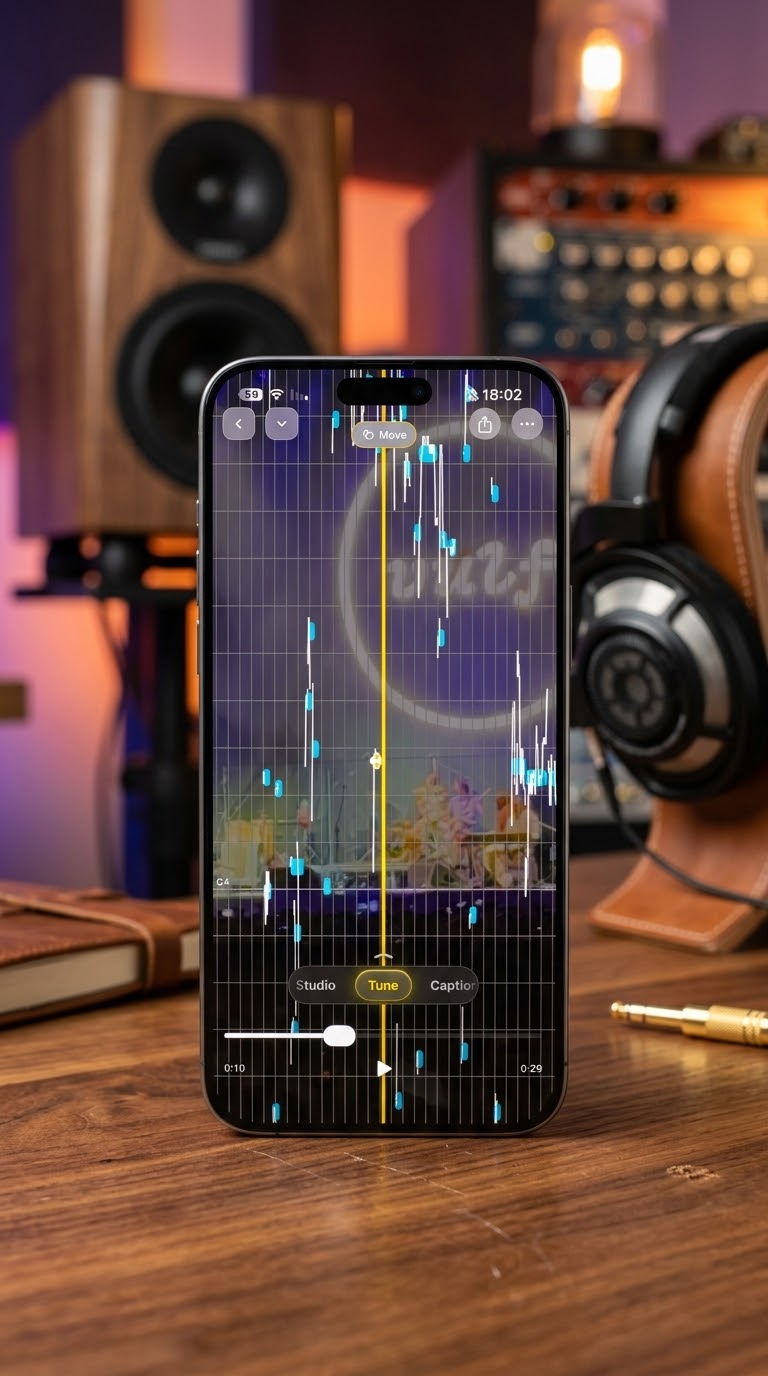
Pitch
Tune shows the pitch on the performance. Let it sit the note for you, or drag one phrase and leave the rest of the take alone.
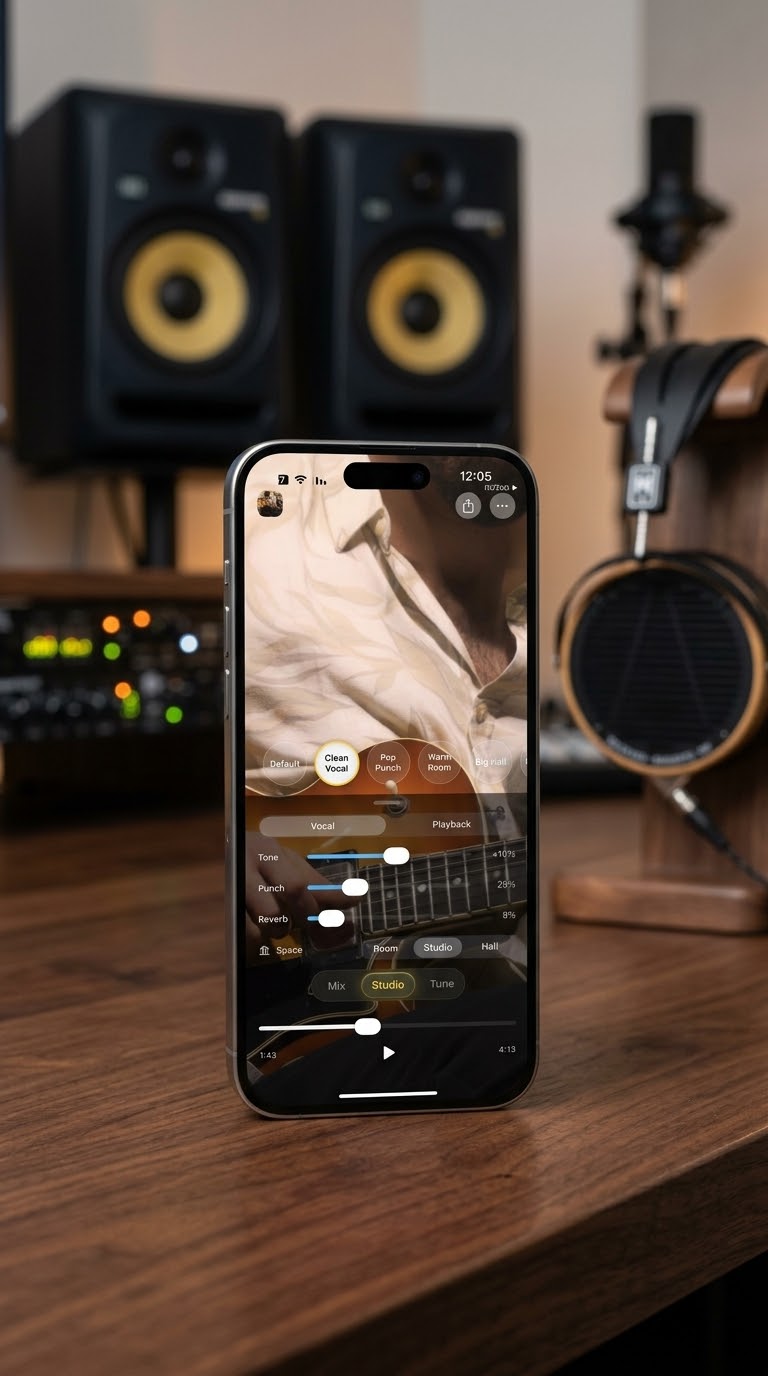
Sound
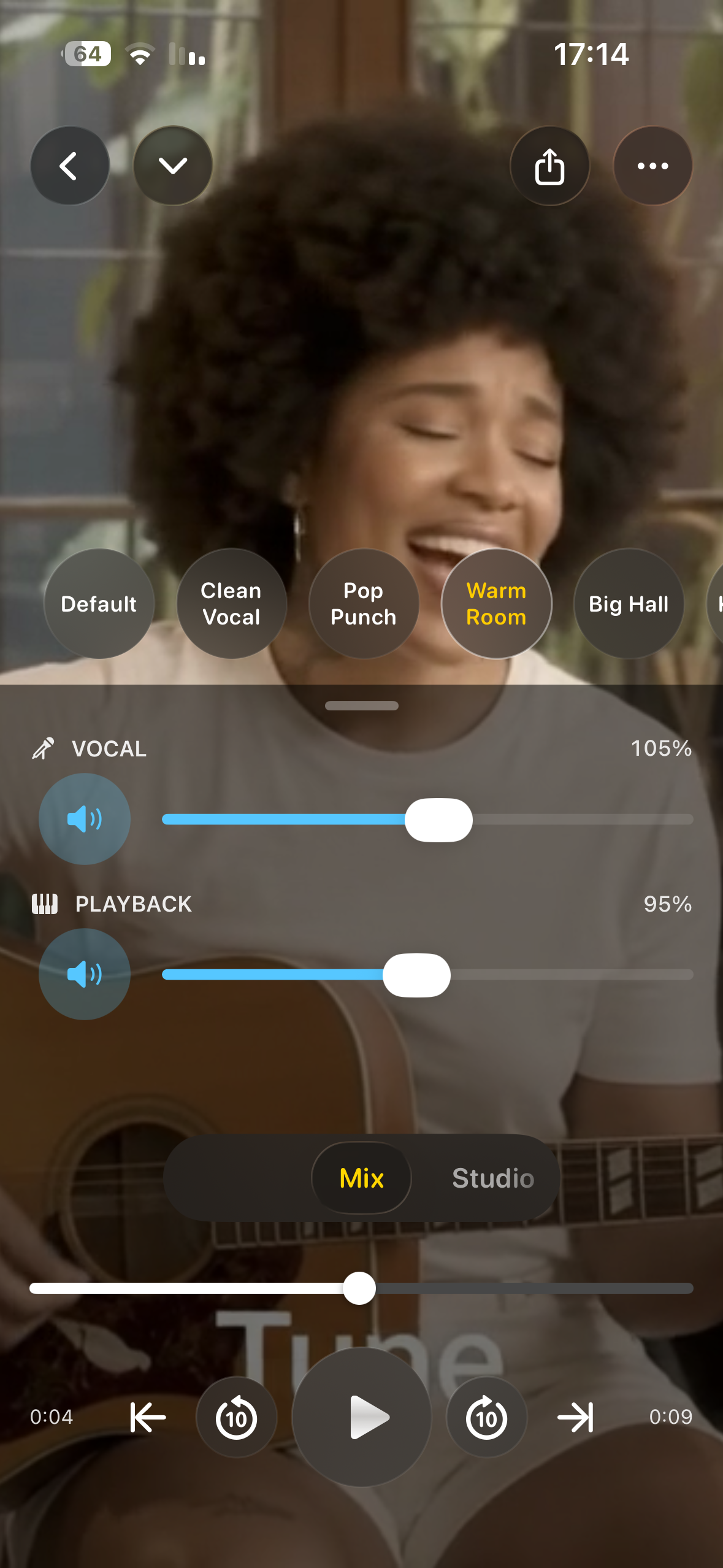
Shape the voice with tone, punch, and reverb. Presets such as Clean Vocal, Pop Punch, and Warm Room get you close. Space places the take in a room, a studio, or a hall.
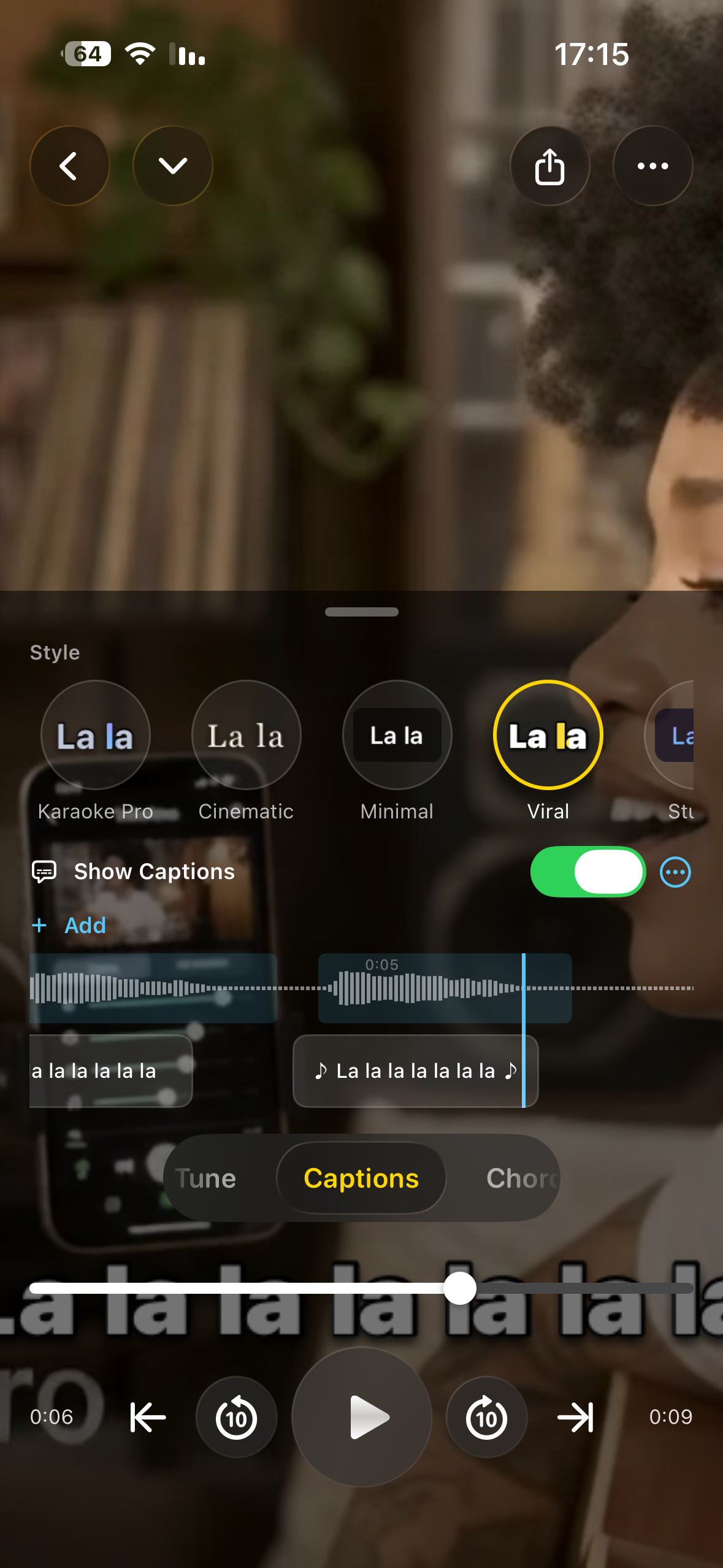
Lyrics
Captions are written on the device from the vocal. Choose a style, edit a line that the singer bent, and burn them into the video or keep them beside it.
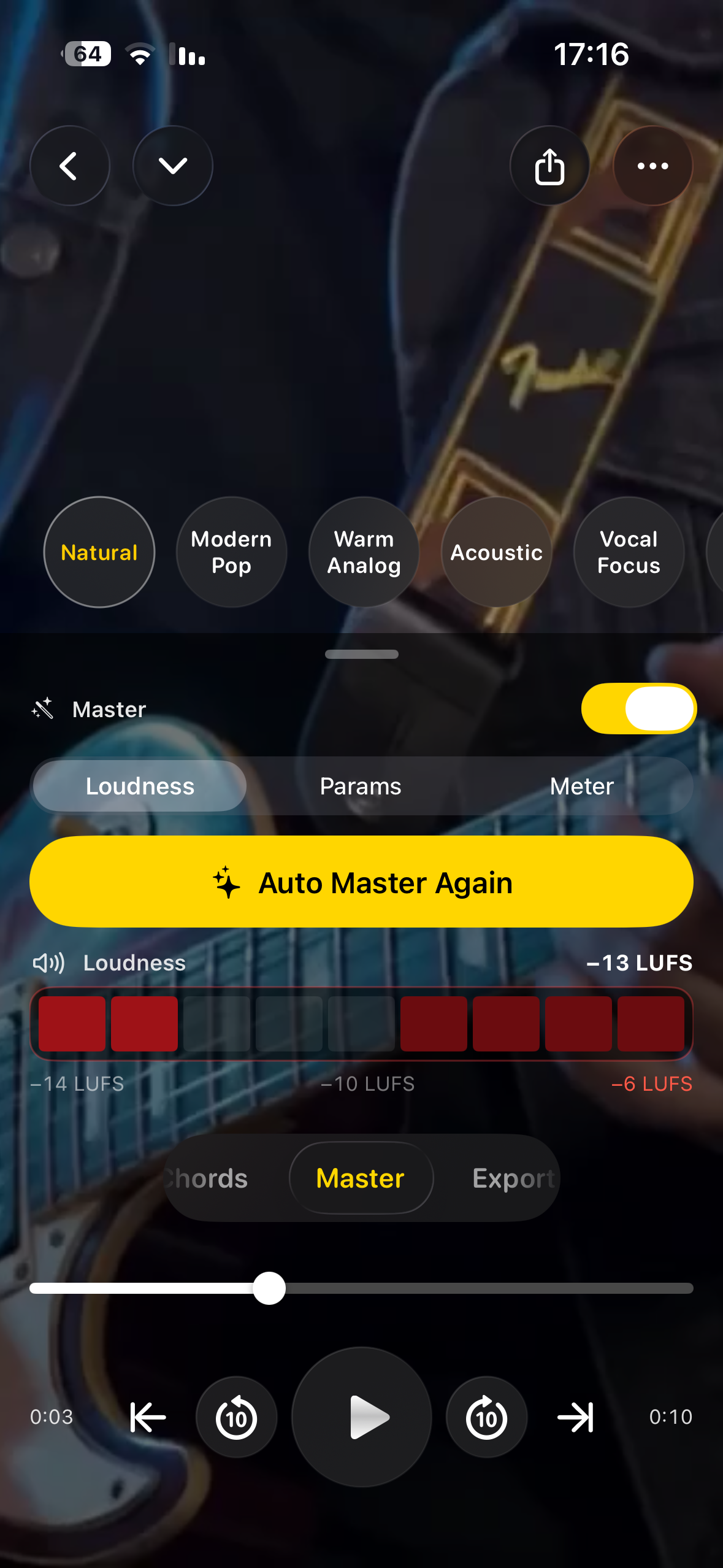
Finish
Master measures the mix and sets loudness against streaming references, with true-peak protection. Hold to compare, then keep the pass that still sounds like the take.
Export
Export a studio WAV, a mixdown, and high-quality video. WAV stems travel with the mix. Video leaves as MP4 or HEVC, with captions on or off, at the frame rate you choose.
Essentials
Record
Film a performance, or bring in a video you already shot.
Split
The vocal and the parts around it are split on the iPhone.
Mix
Faders, EQ, compression, and effects, heard as you move them.
Tune
Automatic when you want speed. By hand when you want the note.
Words
Lines that follow the vocal, edited before they go out.
Out
WAV stems, a mixdown, and high-quality video.
Included
Included
Studio
Studio is bought inside the app and billed by Apple. There is no Take One account.
Questions
Yes. You can record, separate, and mix without Studio. Studio unlocks pitch correction, captions, mastering, and professional export.
Inside the app. Apple bills it. There is no Take One account to create.
Recording, separation, mixing, tuning, captions, mastering, and export run on the device. Your recordings are not uploaded to Take One’s servers to be processed.
Record, separate, and mix are in the free download. Studio is there when the take needs the rest.